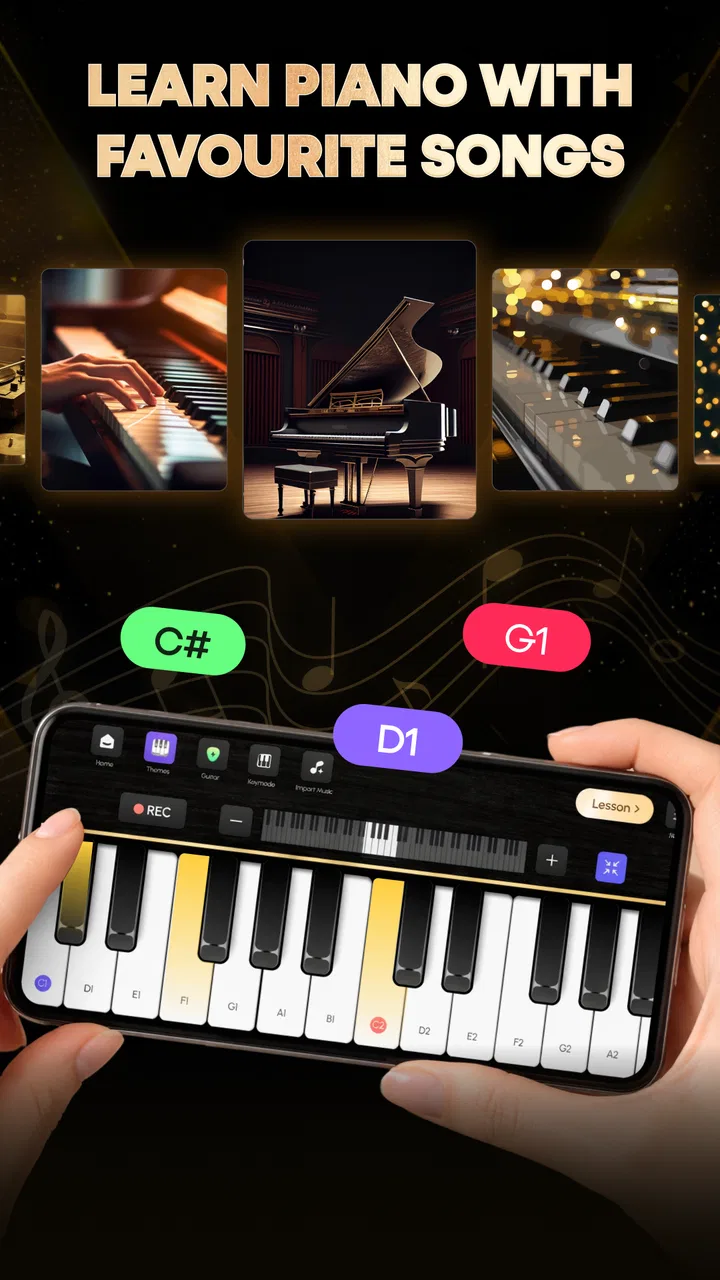
Piano Keyboard: Play & Learn
- 4.1
- Rating
- 100.00K
- Installs
- Free
- Price

 Analysis by App-foxy
I went into Piano Keyboard: Play & Learn expecting a simple virtual keyboard, and that is still the clearest way to understand it. It is a free Music & Audio app from Momcenter that puts piano practice and a playful game-style experience together, while also bringing guitar and drums into the same package. I found the idea appealing because it does not force a beginner to choose between a serious-looking keyboard and a completely casual music toy.
The important distinction is that this is best viewed as a convenient starting point rather than a replacement for a real instrument or a full music-learning course. The app gives you a way to tap, experiment, and build familiarity with musical layouts wherever you happen to be. Whether that feels useful or limited depends heavily on how you use your phone, how reliable your connection is, and whether you want guided learning or simply a low-pressure way to play.
How the app feels when you use it in everyday situations
The first strength is immediacy. A phone is usually nearby, so opening a piano keyboard for a few minutes can be easier than sitting at a physical keyboard. I can imagine using it while waiting for an appointment, taking a quiet break, or showing a child how different notes respond to different touches. The Everyone age rating also makes the app approachable for shared family use, especially when the goal is exploration rather than formal instruction.
You May Also Like

 AccuWeather: Weather Radar
AccuWeather Review: A Quick, Clear Forecast for Everyday Decisions
For everyday plans, the best forecast is the one you can understand quickly. AccuWeather makes rain timing, radar, and local conditions easy to act on, with a few trade-offs.

 Hill Climb Racing
Why Hill Climb Racing Still Turns Crashes Into One More Run
A tiny car, a bumpy hill and one more upgrade: Hill Climb Racing keeps resurfacing because its simple chaos makes every near-miss feel personal.

 AliExpress - Shopping App
AliExpress Makes Global Shopping Feel Personal, but Shoppers Bear the Risk
AliExpress turns a global marketplace into a pocket-sized discovery engine. Its reach is useful, its shopping loop compelling, and its trade-offs easy to miss.

 Lords Mobile: Kingdom Wars
Lords Mobile Is a Kingdom-Building Routine, Not a Quick Match
A case-by-case verdict on the building, battles, device demands, and social commitments that make Lords Mobile rewarding for some players and exhausting for others.

 PDF Scanner app - TapScanner
TapScanner Makes Paperwork Easier to Capture, Check, and Share
TapScanner makes scanning with a phone feel less like a rescue operation and more like a dependable step in getting work done. Its capture tools are useful, though not flawless.

 Block Blast!
 Shows How Much a Puzzle Game Can Leave Out
A quiet grid game shows why puzzle players increasingly value instant clarity, repeatable skill and low-pressure play—and where the genre still needs to catch up.
More From Our News Desk
View All News


The piano is naturally the center of the experience. A touch keyboard is not as expressive as a real one, but it can still help a new player understand the basic relationship between keys, pitch, and simple patterns. That makes the app more useful for first contact with piano than for someone already working on technique, finger independence, or nuanced dynamics.
The extra instruments change the way I would recommend using it. Guitar and drums make the app feel less like a single-purpose keyboard and more like a small musical playground. If one instrument stops holding your attention, switching to another gives you a fresh activity without installing a second app. That variety is particularly helpful for younger users who may not yet know which instrument interests them most.
The game mode is another practical entry point. Someone who finds repetitive practice dull may be more willing to return when playing is framed as a challenge. I would not treat that mode as a complete lesson plan, but it can create a reason to pick up the phone again. In my experience, that matters: a modest activity used regularly can be more valuable to a beginner than a sophisticated tool that feels intimidating.
Where connectivity becomes part of the experience
The network question deserves attention because mobile music apps can behave differently depending on when content is loaded. I would install and open the app before leaving home, while the connection is stable, rather than waiting until I am already on a train or in a place with weak reception. That simple habit lets me see how the app starts on my device and avoids making an important first session depend on uncertain coverage.
I would also avoid assuming that every part of the experience behaves the same way without a connection. The app’s description focuses on playing and practice, but that does not establish how every screen or mode handles disrupted service. If you plan to use it during travel, test the exact piano, guitar, drum, and game activities you care about before relying on them away from dependable internet access.
This is not just a technical concern. A delay while a screen loads can interrupt concentration, and a failed transition can make a child think the app is broken. When I test a music app, I pay attention to whether I can move from one activity to another smoothly, whether the current screen remains usable after a brief interruption, and whether reopening the app returns me to a sensible place. Those details shape the experience more than a store summary can show.
Using it on a phone, in short sessions and shared spaces
A phone is a convenient controller, but it also imposes limits. The keys are displayed on a small touch surface, so accuracy depends on screen size, finger placement, and how much of the keyboard is visible at once. I would use headphones when possible, especially in a shared room, and I would keep sessions short if I were practicing on a smaller handset. The app is more comfortable for quick ideas than for extended, highly precise playing.
One useful routine is to choose a single goal before opening it. For example, spend a few minutes locating notes on the piano, then switch to the game mode for a change of pace, or use the other instruments to compare how rhythm feels against melody. Without a small plan, the variety can turn into aimless tapping. With one, the app becomes a compact practice break rather than just another screen to browse.
It also works well as a conversation starter. A parent can let a child try piano first, then ask whether guitar or drums feels more natural. A beginner can use the keyboard to sketch the shape of a tune before deciding whether formal lessons are worth pursuing. That is a more realistic benefit than expecting the phone to teach advanced musicianship on its own.
There is a trade-off when sharing the device. A child may enjoy the game mode, while an adult may want a quieter practice session. Since this is one app serving several kinds of use, agreeing on which activity to open can prevent frustration. I would also check the volume before handing the phone to someone else; a music app can be perfectly suitable for a family setting but still become disruptive if sound is left too loud.
What to do when a session breaks or does not behave as expected
My first recovery step would be simple: stop tapping repeatedly and determine whether the problem is limited to one screen or affects the whole app. If the keyboard responds but another activity does not, I would return to the working instrument and try the other mode later. If the app itself stops responding, closing and reopening it is a more sensible first move than continuing to press controls that may already be stuck.
Connectivity can make diagnosis confusing. A delayed response may look like a touch problem, while a missing transition may be caused by a temporary network interruption. I would try the same action once with a stable connection and once after moving to a stronger signal, then note whether the behavior changes. This gives a clearer answer than immediately blaming the phone or repeatedly reinstalling the app.
Before updating or resetting anything, I would remember that version 1.0.0 is still an early release position. That does not mean it is unusable, but it does make a little patience worthwhile. Early versions can feel straightforward in one area and less polished in another. If a particular mode matters to you, use it several times rather than forming a judgment from the first tap.
A practical recovery habit is to begin important practice sessions with a quick test: open the piano, play a few notes, move to the intended activity, and confirm that sound and touch response are behaving normally. It takes very little time and prevents the disappointment of discovering a problem only after you have settled in. For children, this check also reduces the chance that a connection issue becomes a larger argument about the device.
Keeping mobile use sensible when data matters
I would be careful with mobile data until I understood how the app behaves on my own device. Music apps may need network access for some parts of their experience, but the available information about this title does not establish a universal offline workflow. The safest approach is to open it on Wi-Fi first, explore the modes you intend to use, and then decide whether it fits your data plan.
That does not require avoiding the app. It simply means treating it like a tool you prepare before a trip. If you want to use it in a place with limited connectivity, test it there only after trying the same routine at home. Pay attention to whether the app starts normally, whether switching instruments works, and whether the game mode remains accessible. These observations are more useful than assuming that a music keyboard will always behave like a fully self-contained instrument.
I would also avoid leaving a session open unnecessarily when the phone is using cellular data. Close the app when you are finished, and use Wi-Fi for the first exploration of every area. This is especially sensible for families, where a child may continue tapping through screens without noticing that the phone has moved from a home network to mobile service.
Battery and attention are part of the same decision. A few minutes of piano practice is an easy mobile activity, but a longer session with sound running can be less convenient when the phone is already low on charge. I would keep this app as a flexible spare instrument rather than planning an entire day around it. Its best role is to make small moments musical, not to replace every other way of learning.
Who will enjoy it, and who should choose something else
I think this app suits beginners, curious children, casual players, and anyone who wants piano, guitar, and drums available in one place. It is also a reasonable choice for someone who wants to test an interest before buying an instrument. Because it is free, the barrier to trying it is low, and the broad age rating makes it easier to introduce in a family setting.
The rating is around 4.1 from roughly 847 ratings, and the app has passed the 100K+ install mark, so it has found an audience beyond a handful of early testers. Those figures do not tell me whether it will match every player’s expectations, but they do suggest that the basic concept is understandable and appealing to many people.
I would skip it if your main goal is structured progression, professional-level sound control, or detailed feedback on technique. A dedicated piano-learning service is likely a better fit for lessons, while a physical keyboard is plainly superior for hand position, key resistance, and expressive control. A specialized drum or guitar app may also serve you better if one instrument is your only priority.
The comparison with ordinary alternatives is therefore quite clear. A real instrument offers richer response but costs more and is not portable. A focused learning app may provide deeper guidance but usually concentrates on one path. A general music toy may be easier for casual play but offer less variety. This app sits between those choices: broader than a piano-only tool, more accessible than hardware, and less demanding than formal study.
My final view after weighing convenience against limits
What I like most is the combination of low commitment and variety. I can imagine recommending it to a friend who says, “I want to try music, but I do not know where to begin.” The piano gives that person a familiar starting point, the game mode adds motivation, and guitar and drums keep the experience from becoming repetitive too quickly.
What I would explain before recommending it is that convenience has boundaries. A phone keyboard cannot reproduce the physical experience of playing a real piano, and the connectivity behavior should be tested rather than assumed. If you prepare sessions on a reliable network, use short focused routines, and treat the app as an introduction or creative break, those limitations are easier to accept.
Momcenter has made a sensible first release for casual musical exploration. The current version, 1.0.0, feels most appropriate for people who value access and experimentation over depth. I would install it for a child discovering instruments, for a beginner testing whether piano feels interesting, or for myself when I want a quick musical distraction without carrying equipment.
My verdict is simple: choose it for portable, low-pressure exploration, but choose a dedicated teacher, learning platform, or physical instrument when progress and technique matter more than convenience. Its strongest quality is not that it transforms a phone into a complete music school. It is that it makes starting easy, and sometimes an easy start is exactly what keeps curiosity alive.
FAQs for Piano Keyboard: Play & Learn
01What features does Piano Keyboard: Play & Learn offer?
Piano Keyboard: Play & Learn provides a realistic piano experience with a variety of instruments and sound effects. It includes interactive lessons for beginners and advanced players, along with a song library featuring different genres. Users can record their performances, share them, and even play in a multiplayer mode with friends.
02Is Piano Keyboard: Play & Learn suitable for beginners?
Yes, Piano Keyboard: Play & Learn is designed for all skill levels. The app offers step-by-step tutorials and interactive lessons that cater to beginners. It provides visual guides and practice exercises to help new players learn the basics of piano playing at their own pace.
03Does the app require an internet connection?
Piano Keyboard: Play & Learn offers offline functionality for most of its features, including the basic lessons and practice mode. However, for accessing the full range of songs, multiplayer mode, and updates, an internet connection is recommended. This ensures users can enjoy the latest content and features.
04What are the in-app purchase options available?
The app offers a variety of in-app purchases, including premium lessons, additional instruments, and an ad-free experience. Users can also subscribe to a premium version for unlimited access to all features and content. These purchases enhance the learning and playing experience, catering to individual preferences.
05Is Piano Keyboard: Play & Learn available on both Android and iOS?
Yes, Piano Keyboard: Play & Learn is available for download on both Android and iOS platforms. Users can find the app on the Google Play Store and the Apple App Store. The app is regularly updated to ensure compatibility and provide new features across all devices.
Pros
- Intuitive interface for beginners.
- Wide range of piano sounds available.
- Interactive lessons to improve skills.
- Offline mode for practice anywhere.
- Customizable settings for personalization.
Cons
- Ads can be frequent and intrusive.
- Limited free features without subscription.
- Requires high storage space on device.
- Occasional lag during gameplay.
- Some advanced features need payment.

Piano Keyboard: Play & Learn
Gallery